Base colors
This stage produces a paint layer for each shape, filled with its base color and masked to the shape. The base colors go on paint layers because a fill layer can’t be a clipping base for the shading in stage 4.
1. Add the Block layer
Hide Sketch, select its row, and add a layer named Block with New layer. The new layer appears directly above Sketch, below Line art.
2. Mask the layer to the block
Press M, or select Lasso selection in the Select group of the Tools toolbar, and trace the outline of the block in Line art. Then select Mask in the selection bar (Working with selections).
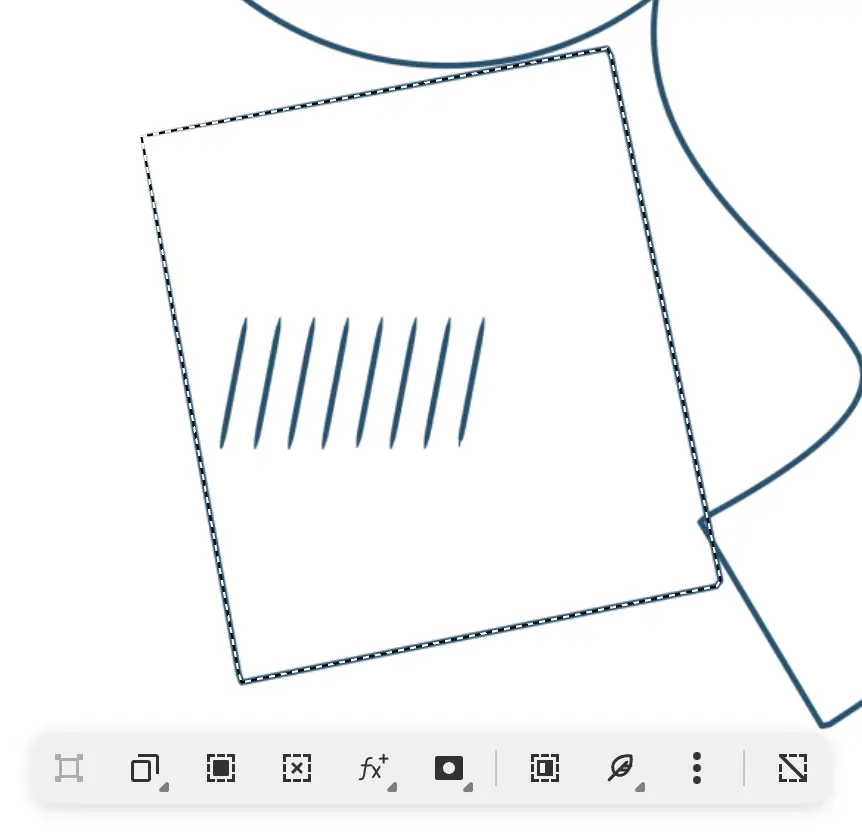
The selection becomes the mask of Block (Masks). A mask thumbnail appears on the row, and a bar at the bottom of the canvas reads “Editing Block mask”.
3. Fill the layer
Fill selection isn’t available while you edit a mask. To fill the layer:
- Select the layer thumbnail on the Block row, or select Edit Content in the bar at the bottom of the canvas.
- Choose terracotta in the Color panel.
- Choose Select > Select all pixels, or press Ctrl+A.
- Choose Edit > Fill selection, or press Shift+Backspace.
- Choose Select > Deselect pixels, or press Ctrl+D.
The color covers the whole layer, and the mask shows it only inside the block.
4. Add Disc and Ribbon
Make Disc in ochre, then Ribbon in teal, in the same way.
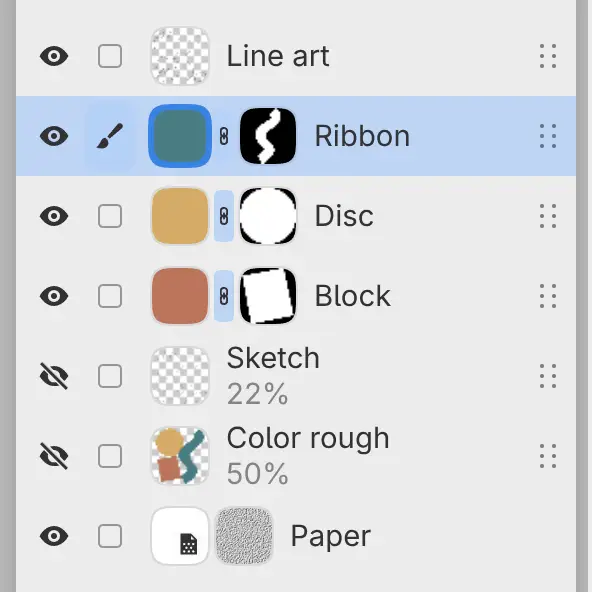
The layer list reads Line art, Ribbon, Disc, Block, Sketch, Color rough, and Paper.
5. Adjust an edge
Select the mask thumbnail on the Ribbon row. The bar at the bottom of the canvas reads “Editing Ribbon mask”.

Paint along an edge with the G-Pen brush to show more of the teal, or use the Eraser to trim the edge. On a mask, brushes ignore the paint color.
Next stage: Rendering.