Color filters
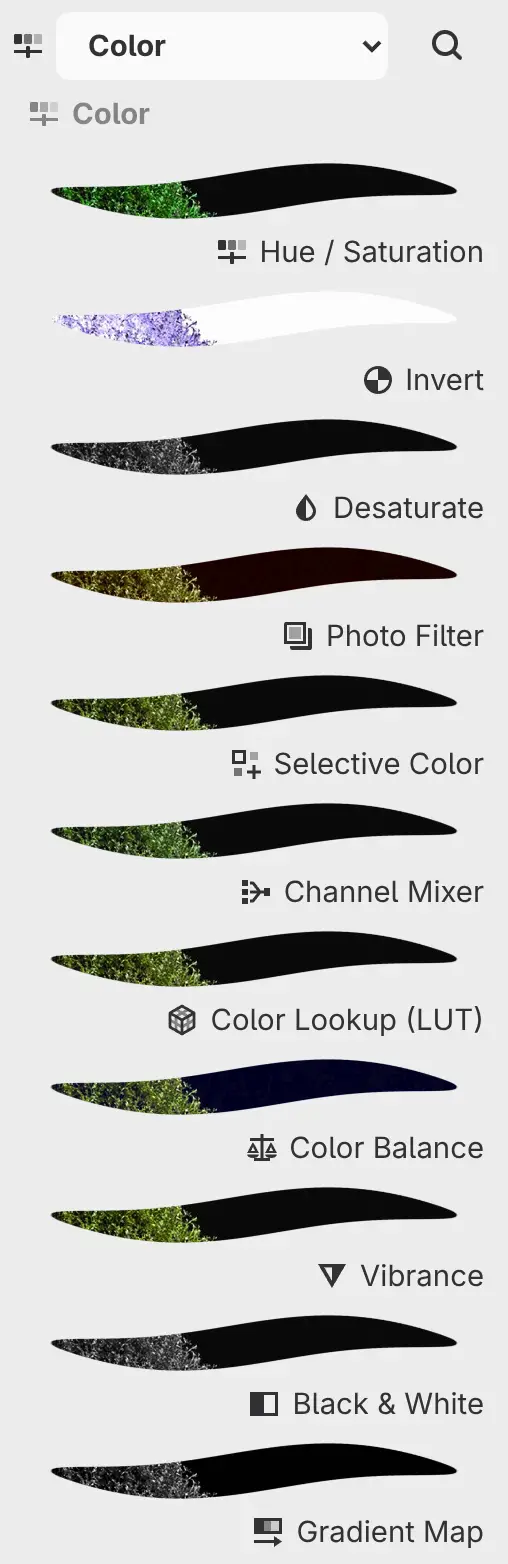
The Color filters are in Filter > Color and in the Color category of the Filters panel. You change their settings in the Properties panel.
Hue / Saturation
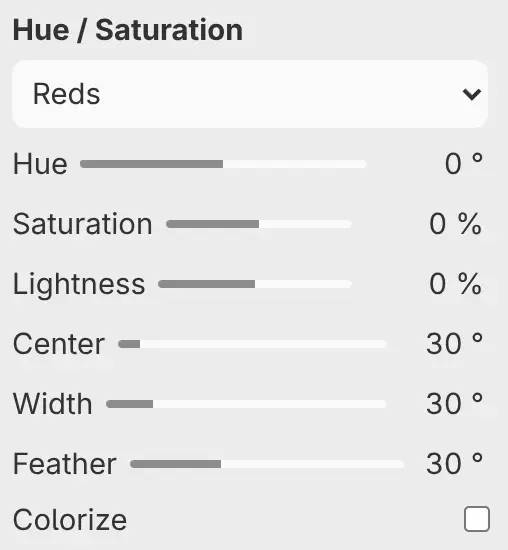
Shifts the hue, saturation and lightness of the whole image on the Master page, or of one color range on the Reds to Magentas pages. Colorize gives every pixel one hue and saturation and keeps its lightness.
| Setting | Range or choices | Default |
|---|---|---|
| Hue | −180° to 180°, or 0–360° with Colorize | 0° |
| Saturation | −100% to 100%, or 0–100% with Colorize | 0%, or 25% with Colorize |
| Lightness | −100% to 100% | 0% |
| Center | 0–360° Oklab hue. Color pages only. | Reds 30°, Yellows 110°, Greens 145°, Cyans 195°, Blues 265°, Magentas 330° |
| Width | 0–180°. Color pages only. | 30° |
| Feather | 0–90°. Color pages only. | 30° |
| Colorize | On or off. While on, only the Master page remains. | Off |
Invert
Inverts every color channel. It has no settings.
Desaturate
Replaces each color with a gray of the same HSL lightness, and has no settings.
Photo Filter
Tints the image toward Color by Density.
| Setting | Range or choices | Default |
|---|---|---|
| Color | Any color | #FFB873 |
| Density | 0–100% | 25% |
| Preserve luminosity | On or off | On |
Selective Color
Changes the cyan, magenta, yellow and black in one range of colors per page. Reds to Magentas act on saturated colors, and Whites, Neutrals and Blacks act on near-gray tones.
| Setting | Range or choices | Default |
|---|---|---|
| Cyan | −100% to 100% | 0% |
| Magenta | −100% to 100% | 0% |
| Yellow | −100% to 100% | 0% |
| Black | −100% to 100% | 0% |
| Method | Relative scales each change by the ink already in the color. Absolute adds it as it is. Applies to every page. | Relative |
Channel Mixer
Builds each output channel on the Red, Green and Blue pages from a mix of the red, green and blue input channels, plus Constant. With Monochrome on, only the Gray page remains, and its mix makes a gray image.
| Setting | Range or choices | Default |
|---|---|---|
| Red | −200% to 200% | 100% on the Red page, 21.26% on Gray, otherwise 0% |
| Green | −200% to 200% | 100% on the Green page, 71.52% on Gray, otherwise 0% |
| Blue | −200% to 200% | 100% on the Blue page, 7.22% on Gray, otherwise 0% |
| Constant | −100% to 100% | 0% |
| Monochrome | On or off | Off |
Color Lookup (LUT)
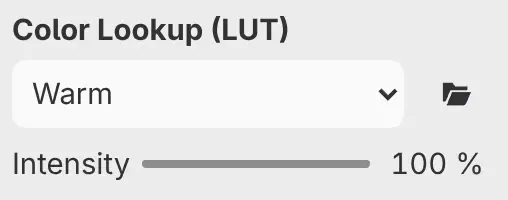
Applies a lookup table from the look menu (it shows the current look, such as
Warm) to the colors, mixed with the original by Intensity. To use your own LUT, select Import LUT… next to the look menu and
open a 3D .cube file of up to 16 MB.
| Setting | Range or choices | Default |
|---|---|---|
| Look menu | Original (no change), Warm, Cool, Monochrome, or an imported LUT under its title. Imported LUTs are saved in the drawing. | Original |
| LUT color space | sRGB, Display P3, Adobe RGB (1998), ProPhoto RGB: the color space an imported LUT expects. Hidden for Original and the built-in looks. | sRGB |
| Intensity | 0–100% | 100% |
Color Balance
Shifts colors separately on the Shadows, Midtones and Highlights pages. Positive values move toward the second color in each slider’s label.
| Setting | Range or choices | Default |
|---|---|---|
| Cyan — Red | −100 to 100 | 0 |
| Magenta — Green | −100 to 100 | 0 |
| Yellow — Blue | −100 to 100 | 0 |
| Preserve luminosity | On or off, for every page | On |
Vibrance
Vibrance raises the saturation of muted colors more than that of saturated ones. Saturation changes all colors evenly.
| Setting | Range or choices | Default |
|---|---|---|
| Vibrance | −100% to 100% | 0% |
| Saturation | −100% to 100% | 0% |
| Protect skin tones | On or off. Limits a positive Vibrance on orange and skin hues. | On |
Black & White
Converts the image to gray, with a slider for how light each hue becomes. Tint colors the result with Tint color.
| Setting | Range or choices | Default |
|---|---|---|
| Reds | −100% to 200% | 40% |
| Yellows | −100% to 200% | 60% |
| Greens | −100% to 200% | 40% |
| Cyans | −100% to 200% | 60% |
| Blues | −100% to 200% | 20% |
| Magentas | −100% to 200% | 80% |
| Tint | On or off | Off |
| Tint color | Any color | #BF874C |
Gradient Map
Maps the tones of the image onto Gradient, from the left stop for the darkest tones to the right stop for the lightest. Amount mixes the result with the original.
| Setting | Range or choices | Default |
|---|---|---|
| Gradient | Any gradient, edited as in the Gradient tool | Black to white, Oklab interpolation |
| Amount | 0–100% | 100% |
White Balance
Warms or cools the image with Temperature and shifts it toward magenta or green with Tint. Pick neutral point at the top of the Properties panel sets both so that a point you click on the canvas turns neutral.
| Setting | Range or choices | Default |
|---|---|---|
| Temperature | −100 to 100, or up to ±1000 typed. Positive values are warmer. | 0 |
| Tint | −100 to 100, or up to ±800 typed. Positive values are more magenta. | 0 |
| Preserve luminosity | On or off | On |
Split Tone
Tints the shadows toward the Shadows color and the highlights toward the Highlights color, keeping their brightness.
| Setting | Range or choices | Default |
|---|---|---|
| Shadows | Any color | #295494 |
| Highlights | Any color | #F5AD57 |
| Balance | −100 to 100. Moves the point where the two tints meet. Positive values give more of the image the Shadows color. | 0 |
| Strength | 0–100% | 30% |
Solarize
Inverts each color channel where it is lighter than Threshold. Strength mixes the result with the original.
| Setting | Range or choices | Default |
|---|---|---|
| Threshold | 0–100% | 50% |
| Strength | 0–100% | 100% |
Iridescence
Adds a thin-film rainbow that follows the brightness of the image and shifts over time. An exported image shows the colors at the moment of export.
| Setting | Range or choices | Default |
|---|---|---|
| Strength | 0–100% | 55% |
| Film size | 8–240 px | 64 px |
| Speed | 0–4 | 0.3 |
| Animate | On or off. While on, the colors shift continuously at Speed. | On |
| Frozen time | 0–3600 s: the moment shown while Animate is off | 0 s |