Distort filters
The Distort filters are in Filter > Distort and in the Distort category of the Filters panel. You change their settings in the Properties panel. Each of them can move paint into transparent areas of a layer.
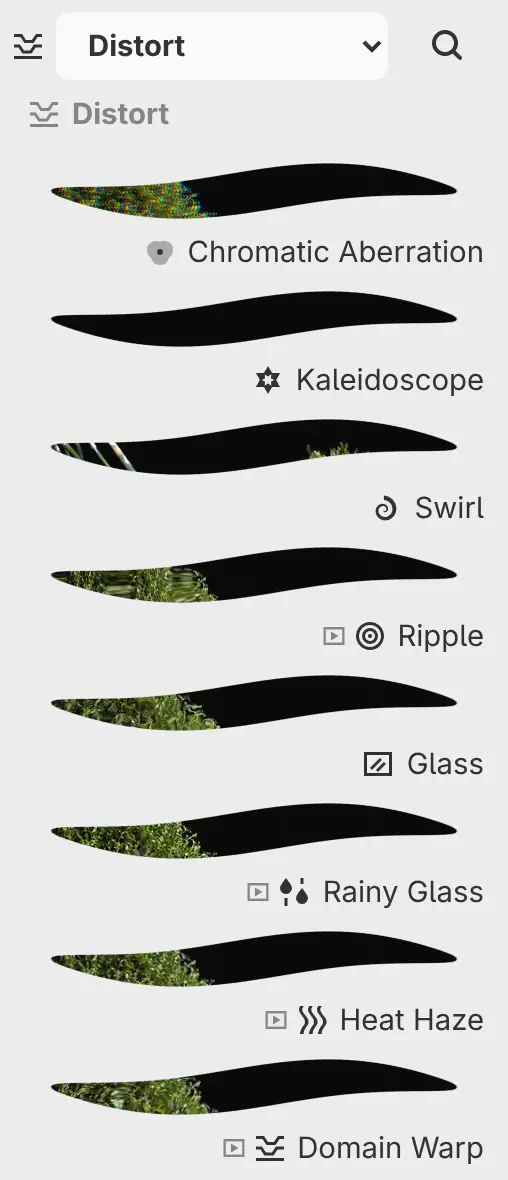
Chromatic Aberration
Adds color fringes at edges by shifting the red channel one way and the blue channel the other, by Separation along Angle.
| Setting | Range or choices | Default |
|---|---|---|
| Separation | 0–32 px | 3 px |
| Angle | −180° to 180° | 0° |
Kaleidoscope
Mirrors one wedge of the image into Segments wedges around the center.
| Setting | Range or choices | Default |
|---|---|---|
| Segments | 2–24 | 6 |
| Angle | −180° to 180° | 0° |
| Center X, Center Y (under Position) | 0–100% of the canvas width and height | 50% |
Swirl
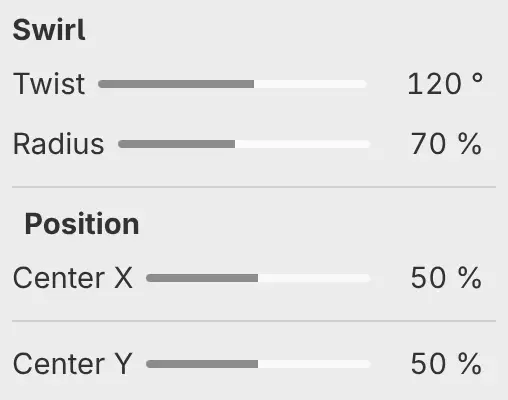
Twists the image around the center by Twist, fading to no twist at Radius.
| Setting | Range or choices | Default |
|---|---|---|
| Twist | −720° to 720° | 120° |
| Radius | 1–150% of half the shorter side of the canvas | 70% |
| Center X, Center Y (under Position) | 0–100% of the canvas width and height | 50% |
Ripple
Moves the image in rings around the center, by up to Amplitude, with rings Wavelength apart. The rings travel outward over time.
| Setting | Range or choices | Default |
|---|---|---|
| Amplitude | 0–48 px | 12 px |
| Wavelength | 8–256 px | 64 px |
| Speed | 0–4 | 0.5 |
| Center X, Center Y (under Position) | 0–100% of the canvas width and height | 50% |
| Animate | On or off | On |
| Frozen time | 0–3600 s | 0 s |
Glass
Distorts the image with a frosted-glass pattern of Texture size, by up to Distortion. Roughness adds a finer pattern.
| Setting | Range or choices | Default |
|---|---|---|
| Distortion | 0–48 px | 12 px |
| Texture size | 4–160 px | 24 px |
| Roughness | 0–100% | 35% |
Rainy Glass
Adds raindrops that slide down with trails over time and bend the image by up to Refraction. Rain sets the number of drops.
| Setting | Range or choices | Default |
|---|---|---|
| Refraction | 0–32 px | 8 px |
| Drop size | 12–120 px | 48 px |
| Rain | 0–100% | 65% |
| Speed | 0–4 | 0.5 |
| Animate | On or off | On |
| Frozen time | 0–3600 s | 0 s |
Heat Haze
Makes the image shimmer over time, by up to Distortion at the bottom of the canvas and not at all at the top. Detail adds finer ripples.
| Setting | Range or choices | Default |
|---|---|---|
| Distortion | 0–48 px | 8 px |
| Wave size | 10–240 px | 90 px |
| Speed | 0–4 | 0.6 |
| Detail | 0–100% | 50% |
| Animate | On or off | On |
| Frozen time | 0–3600 s | 0 s |
Domain Warp
Warps the image with a marbled pattern of Pattern size, by up to Distortion. The pattern drifts over time.
| Setting | Range or choices | Default |
|---|---|---|
| Distortion | 0–64 px | 24 px |
| Pattern size | 8–256 px | 96 px |
| Speed | 0–4 | 0.25 |
| Animate | On or off | On |
| Frozen time | 0–3600 s | 0 s |
Animation
Ripple, Rainy Glass, Heat Haze and Domain Warp are animated, and their rows in the Filters panel have the animation mark. With Animate on, the filter plays continuously at Speed. Turn Animate off to hold the filter still at the moment set by Frozen time.
An exported image shows the animation at the moment of export.