New drawings
You can start a drawing in the New drawing dialog. The new drawing opens in its own tab, and the current drawing stays open.
Opening the New drawing dialog
Do one of the following:
- Choose File > New….
- Press Ctrl+N (not in the web editor).
- In Paint and Photo, select New… in the Commands toolbar.
Choose the settings below, then select Create.
New… isn’t available while a crop or a transform is open. If too much drawing data is already open, the new drawing doesn’t open until you close some drawings.
Settings
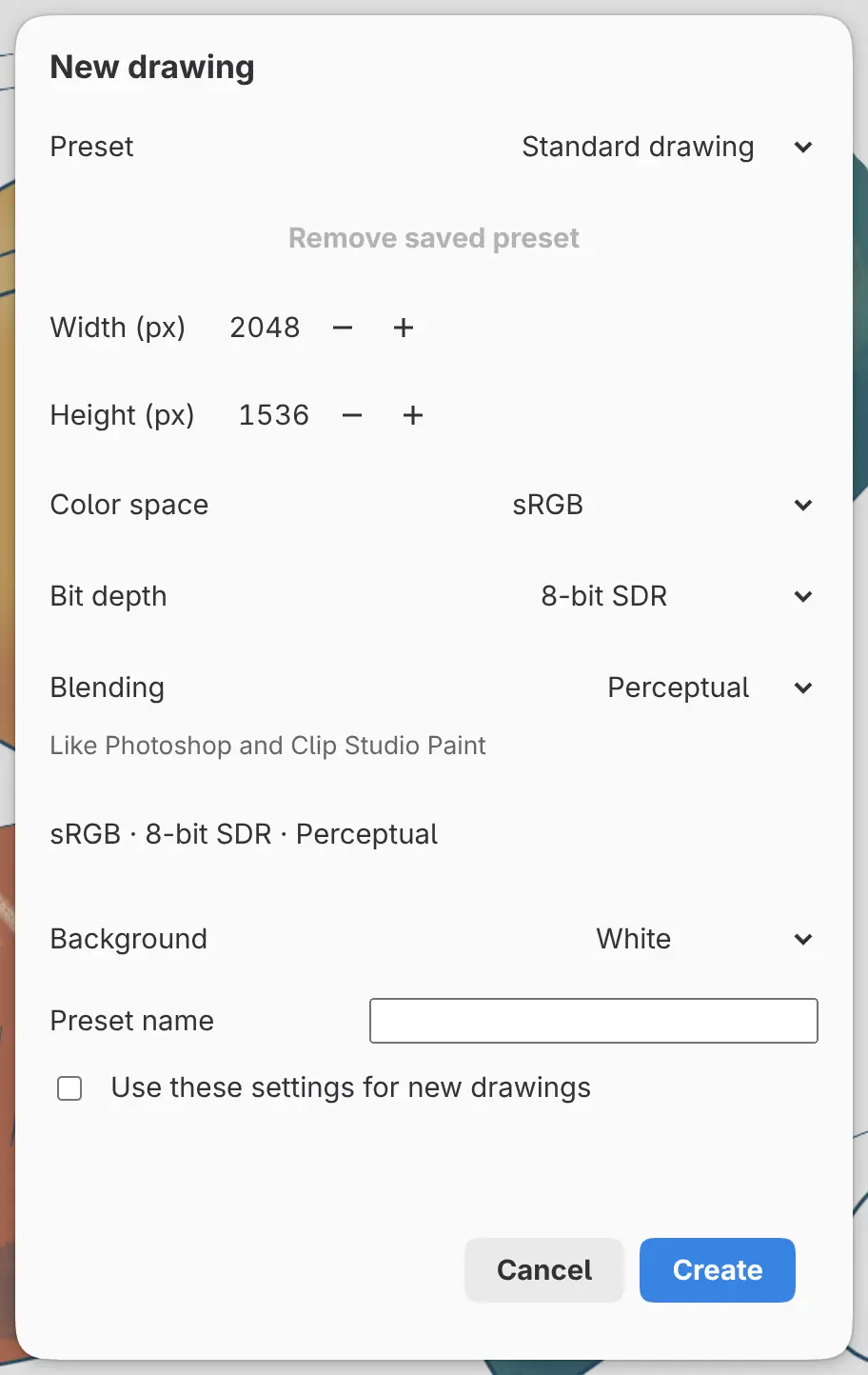
Preset
Fills every field from a built-in preset or one you saved. Changing a field afterward switches Preset to Custom.
Every built-in preset is 2048 × 1536 pixels on a white background.
| Preset | Color space | Bit depth | Blending |
|---|---|---|---|
| Standard drawing | sRGB | 8-bit SDR | Perceptual |
| Wide color | Display P3 | 8-bit SDR | Perceptual |
| Photo editing | ProPhoto RGB | 16-bit SDR | Perceptual |
| HDR drawing | sRGB | 16-bit float HDR | Linear light |
Remove saved preset
Deletes the selected saved preset. Built-in presets can’t be removed.
Width (px) and Height (px)
From 1 to 8192 pixels. The fields accept arithmetic such as “160*2”.
Color space
sRGB, Display P3, Adobe RGB (1998) or ProPhoto RGB (see Color space, bit depth and blending). With ProPhoto RGB and 8-bit SDR, the dialog recommends 16-bit SDR.
Bit depth
8-bit SDR, 16-bit SDR, 16-bit float HDR or 32-bit float HDR. A float bit depth makes an HDR drawing.
Blending
Perceptual or Linear light. With a float bit depth, Blending is fixed to Linear light.
Background
White or Transparent. Transparent hides the Paper layer.
Preset name
Saves the settings as a preset under this name when you select Create. A name has up to 64 characters, and you can keep up to 64 presets.
Use these settings for new drawings
When on, the dialog opens with these settings next time. The color space, bit depth and background also become the New drawings settings in Preferences.
The first layers
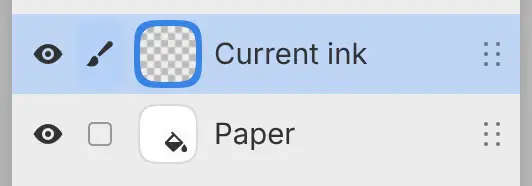
A new drawing has two layers. Current ink, an empty paint layer, is selected above Paper, a white fill layer (see Layer types). Layers you add later are named “Layer” and a number.
Other platforms
On iPad, macOS and Android, a Save Preset… field and a Use Defaults option take the place of Preset name and Use these settings for new drawings. iPad and macOS have no Remove saved preset button.
On Linux, Save Preset… opens a separate dialog for the name, and Color space, Bit depth and Blending are grouped under Color.