Mixing, bleed and bristles
You can set how wet and blending brushes handle paint in the Tool panel. Each group appears only on the brushes named in its section.
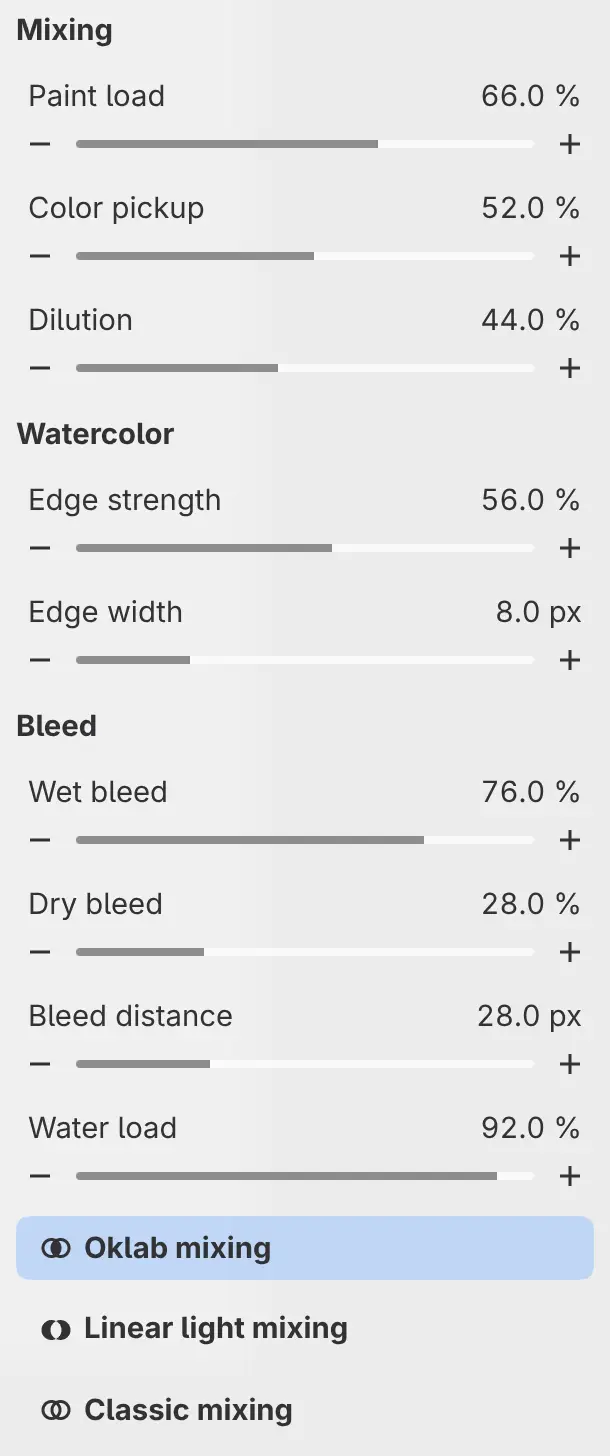
Mixing
Mixing appears on Wet Round, Opaque Gouache, Loaded Oil, Palette Knife, Watercolor Wash, Wet Watercolor, Natural Blender and Smudge. Except for the watercolor brushes, a loaded brush runs out of paint along the stroke, at a rate fixed for each brush.
Paint load
Sets how much of its own color the brush carries, and on the watercolor brushes, the pigment strength. Lower values let the color picked up from the layer take over.
Color pickup
Sets how far the brush drags the color it picks up from the layer along the stroke.
Dilution
Thins the paint the brush carries. Higher values weaken the brush’s own color in the mix.
Watercolor
Watercolor Wash and Wet Watercolor have a Watercolor group for the darker rim where the paint pools. Watercolor reacts only to paint on the same layer.
Edge strength
Sets how dark the rim is.
Edge width
Sets the width of the rim, from 0 to 32 px.
Bleed
The Bleed group of the two watercolor brushes sets how water and pigment spread into the paper around the stroke. Paint spreads only during the stroke, not after you lift the pen.
Wet bleed
Sets how fast paint spreads into paper that is already wet.
Dry bleed
Sets how fast paint spreads into dry paper.
Bleed distance
Sets how far paint can spread from each dab, from 0 to 96 px.
Water load
Sets how much water each dab puts on the paper.
Color mixing
You can choose how a mixing brush combines the colors it picks up.
Do one of the following:
- Select Oklab mixing, Linear light mixing or Classic mixing at the bottom of the Tool panel.
- Choose from Color mixing in the Tool Options bar (Size, opacity and flow).
- Search commands for the choice’s name.
| Choice | Mixing |
|---|---|
| Oklab mixing | Mixes picked-up colors evenly, as the eye sees them. |
| Linear light mixing | Mixes picked-up colors as light mixes. |
| Classic mixing | Mixes the color values as they are stored in the drawing. |
Every built-in mixing brush starts on Oklab mixing. The choice is saved with the brush, and the drawing’s Blending setting doesn’t change it. For a brush that doesn’t mix, the choices are unavailable.

Bristles
The Bristles group appears only on Bristle Paintbrush. This brush streaks the other color of the foreground and background pair into thick ridges of paint.
Bristle scale
Sets the size of the bristle marks relative to the brush size. The slider goes from 25% to 200%, and you can type values up to 400%.
Paint load
Sets how much paint the brush carries at the start of each stroke.