Detail and blur filters
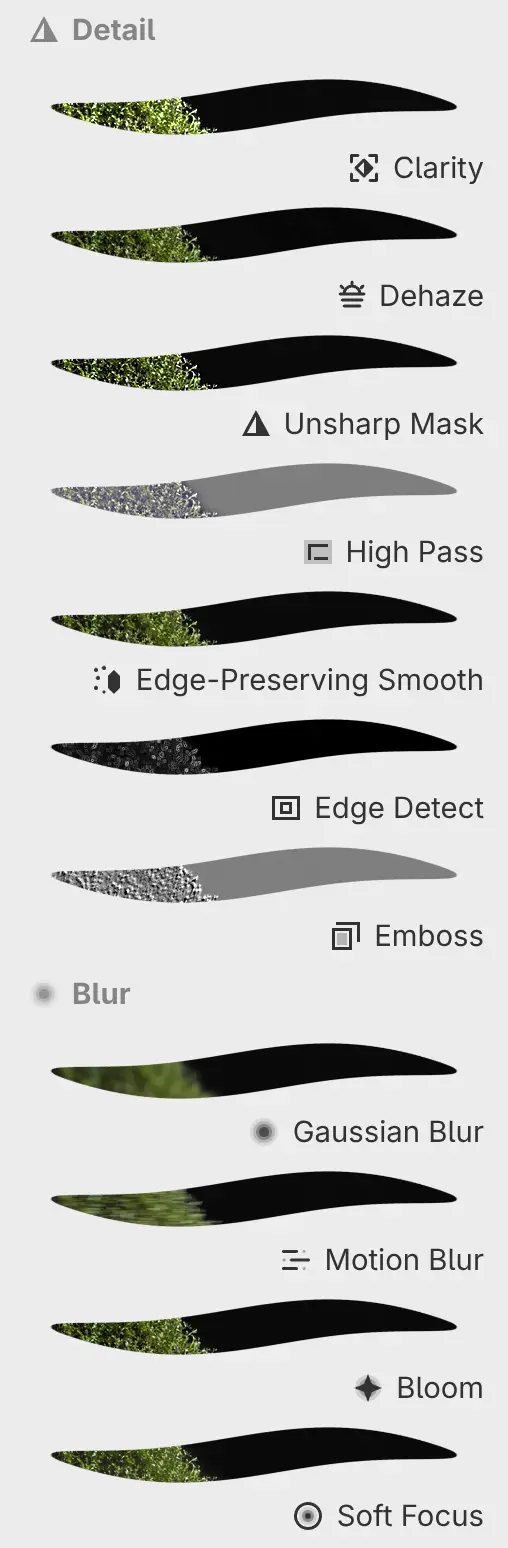
These filters are in Filter > Detail and Filter > Blur, and in the Detail and Blur categories of the Filters panel. You change their settings in the Properties panel.
Clarity
Raises local contrast with a positive Amount, or lowers it with a negative one, by up to 2 stops.
| Setting | Range or choices | Default |
|---|---|---|
| Amount | −100% to 100% | 0% |
Dehaze
A positive Amount removes haze and a negative one adds it. Near-white and near-gray areas are protected when haze is removed.
| Setting | Range or choices | Default |
|---|---|---|
| Amount | −100% to 100% | 0% |
Unsharp Mask
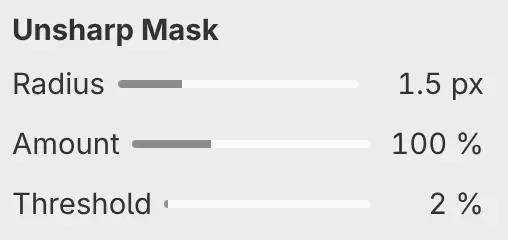
Sharpens edges by Amount. Differences smaller than Threshold are left unchanged.
| Setting | Range or choices | Default |
|---|---|---|
| Radius | 0–21 px, or up to 85 px typed | 1.5 px |
| Amount | 0–300% | 100% |
| Threshold | 0–100% | 2% |
High Pass
Keeps only the detail finer than Radius, on a 50% gray base.
| Setting | Range or choices | Default |
|---|---|---|
| Radius | 0–21 px, or up to 85 px typed | 4 px |
| Strength | 0–300% | 100% |
Edge-Preserving Smooth
Smooths noise and keeps edges sharp. A higher Strength smooths across larger color differences.
| Setting | Range or choices | Default |
|---|---|---|
| Strength | 0–100% | 25% |
Edge Detect
Shows the edges of the image as white lines on black, or as dark lines on white with Invert on.
| Setting | Range or choices | Default |
|---|---|---|
| Width | 0.5–8 px | 1 px |
| Strength | 0–400% | 100% |
| Invert | On or off | Off |
Emboss
Turns the image into a gray relief. Angle sets the direction of the relief.
| Setting | Range or choices | Default |
|---|---|---|
| Width | 0.5–8 px | 1.5 px |
| Angle | −180° to 180° | 135° |
| Depth | 0–400% | 100% |
Gaussian Blur
Blurs the image evenly. Edges next to transparent areas blur outward.
| Setting | Range or choices | Default |
|---|---|---|
| Radius | 0–21 px, or up to 85 px typed | 3 px |
Motion Blur
Blurs along a straight line Distance long, in the direction of Angle.
| Setting | Range or choices | Default |
|---|---|---|
| Distance | 0–64 px | 12 px |
| Angle | −180° to 180° | 0° |
Bloom
Adds a glow around tones brighter than Threshold. The glow can spread into transparent areas.
| Setting | Range or choices | Default |
|---|---|---|
| Radius | 0–21 px, or up to 85 px typed | 6 px |
| Strength | 0–200% | 60% |
| Threshold | 0–100% | 60% |
Soft Focus
Softens the image by laying a blur of Radius over it in Lighten blend mode, at Strength opacity.
| Setting | Range or choices | Default |
|---|---|---|
| Radius | 0–21 px, or up to 85 px typed | 5 px |
| Strength | 0–100% | 40% |